







In short
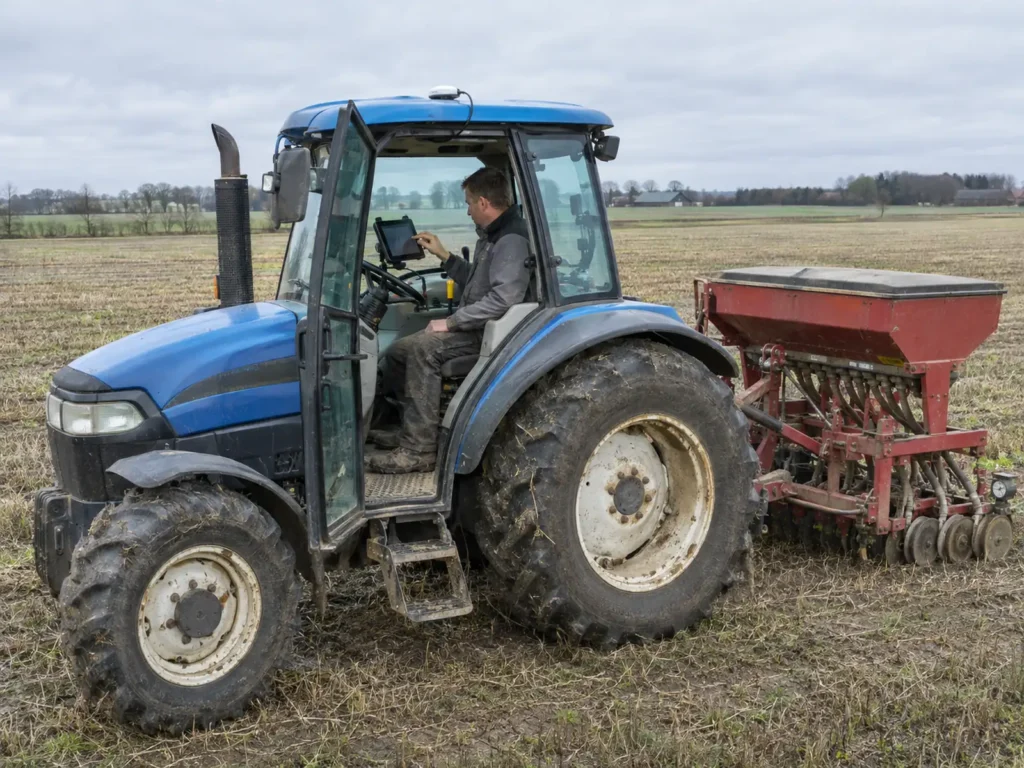
AgOpenGPS is free, open-source guidance and autosteer software for tractors. Its companion program AgIO has a built-in NTRIP client: it fetches the RTKsub corrections from the GEODNET network and sends them to your RTK receiver, such as a u-blox ZED-F9P. This guide shows the settings and what to check if you don't get RTK fix.
The settings: host ntrip.rtksub.com, port 2101, mountpoint AUTO, and the NTRIP username and password from NTRIP login details in your RTKsub account.
What you need
- AgOpenGPS with AgIO on a Windows tablet or laptop, with internet in the cab, for example through a mobile hotspot.
- An RTK receiver such as a u-blox ZED-F9P, connected to AgIO over USB (serial) or over the AgOpenGPS network (UDP).
- An RTKsub subscription or free trial. Your NTRIP username and password are under NTRIP login details in your RTKsub account.
Step 1: Connect your receiver to AgIO
Start AgIO and check that your receiver sends a position: the Lat and Lon values in the AgIO window update. Work in your own profile, because AgIO doesn’t open the NTRIP settings in the default profile.
Step 2: Turn on the NTRIP client
At the bottom left of AgIO, click the RTCM button and choose NTRIP. The NTRIP Client Settings window opens. Tick NTRIP On. AgIO restarts once. Then open the NTRIP settings again.
Step 3: Enter the RTKsub details
On the Source tab:
- Enter Broadcaster URL or IP: ntrip.rtksub.com. Click Verify URL or IP, and the IP field fills in.
- Caster Port: 2101
- Username: your RTKsub NTRIP username
- Password: your RTKsub NTRIP password
- Mount: AUTO (in capitals). Type it in, you don’t need Get Source Table.
On the Position tab:
- GGA Interval (secs): 10, the default. Never 0: that turns GGA off, and mount point AUTO needs your position to pick the nearest station.
- Use GPS Fix: the button must show Use GPS Fix, not Use Manual Fix, so AgIO sends the live position of your receiver.
- Send To GPS Using: SERIAL for a receiver on a USB port, UDP for a receiver on the AgOpenGPS network. If you switch, AgIO restarts.
Confirm with the OK button. AgIO connects to the caster.
Step 4: Wait for RTK fix
In the AgIO window, the NTRIP status changes to Listening NTRIP and the kb counter goes up. Each time AgIO sends your position, it briefly shows Send GGA. Open the GPS data window with the speech-bubble button: Quality goes from Float to RTK fix, and Age shows how old the corrections are. Start driving then.
No RTK fix? Check these points
- The NTRIP settings don’t open: choose or create a profile in AgIO first. Radio and Serial Port corrections must be off.
- Cannot resolve caster URL or URL Not Located: the tablet has no internet or the address is wrong. Check the connection and the address ntrip.rtksub.com.
- NTRIP Connection Rejected: check the username, password and mount point. The mount point is AUTO, in capitals.
- Connected, but no corrections with AUTO: check that GGA Interval is not 0, that Use GPS Fix is selected and that the receiver has a position under open sky.
- Data comes in, but Quality doesn’t reach Float: check Send To GPS Using (SERIAL or UDP), and check in u-center that RTCM3 is on as input protocol for that receiver port.
- It works on mobile data but not on Wi-Fi: some Wi-Fi networks block port 2101. Use mobile data.
- It stays on Float: look for a clear view of the sky, away from trees, sheds and buildings. Check the coverage map: for centimeter accuracy, a station within about 20 to 30 km works best.
Which mount point should I use?
Use AUTO. It picks the nearest station and the right reference frame for your region. If your project needs a global reference, choose AUTO_WGS84 or AUTO_ITRF2020. More about mount points and heights in how to connect to the RTK network.
Frequently asked questions
Do I need my own base station?
No. RTKsub sends the corrections from the network stations over the internet. You need an RTK receiver on the tractor and internet in the cab.
Can I use one subscription on two tractors?
One subscription is one RTK connection: one device at a time. For several tractors at the same time, choose Enterprise.
How accurate is it?
Under good conditions, RTK typically reaches 1 to 2 cm. The result depends on your receiver, the distance to the nearest station and a clear view of the sky.
Can I try it first?
Yes. Start a free 30-day trial without a credit card and test it on your own fields.
4.8/5
5/5
based on 26+ reviews
Test RTKsub with your own equipment
